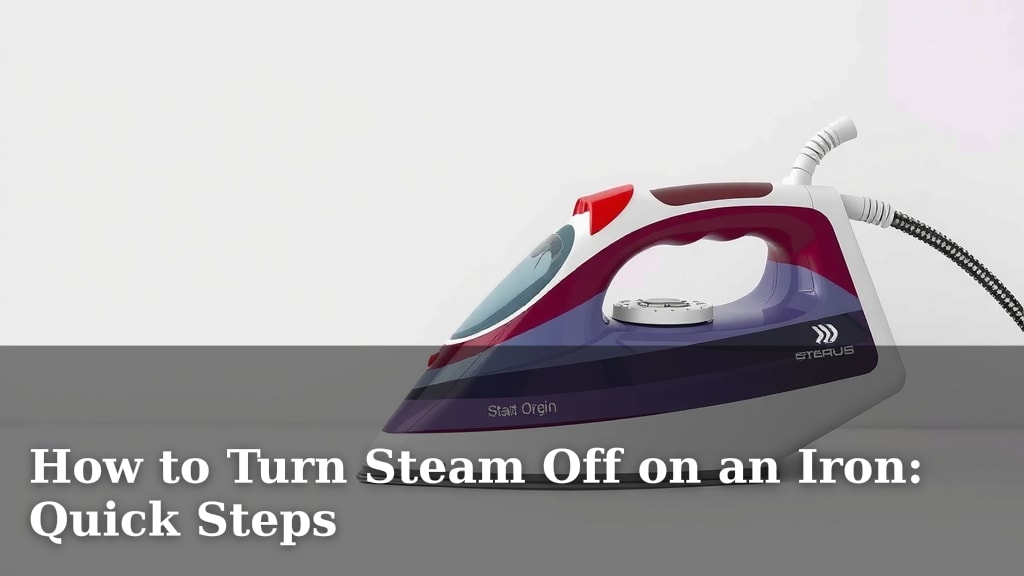
How to Turn Steam Off on an Iron: Quick Steps
To turn the steam off on your iron, you typically just need to locate the steam control dial or button. Then, simply turn or press it to the ‘off’ setting. This action immediately stops the release of steam from your iron. It’s usually a straightforward process, often found near the handle. You might also see settings for fabric types; ensure it’s set to ‘no steam’ or a similar indicator.
Steam irons are fantastic for tackling stubborn wrinkles. But sometimes you need a dry iron for certain fabrics or to avoid water spots. Knowing how to quickly disable the steam function is a common need for anyone using an iron. We found that most irons have an intuitive design for this very purpose. This ensures you have complete control over your ironing experience.
- Locate the steam control (dial or button).
- Turn or press it to the ‘off’ position.
- Check for a ‘no steam’ indicator.
- This stops steam production instantly.
Below, we’ll guide you through the exact steps to turn off the steam on your iron, so you can get back to perfectly pressed clothes without any fuss.
Disabling the Steam Function on Your Iron: A Simple Guide
Turning off the steam on your iron is usually a quick fix. You’ll want to do this for delicate fabrics or when a dry press is best. Most irons have an easy way to adjust this feature. We found that this is one of the most common adjustments users make while ironing.
Why You Might Need to Turn Off the Steam
Steam is great for smoothing out tough creases. It helps relax fabric fibers. This allows the iron’s heat to work more effectively. But sometimes, steam isn’t your friend. Certain materials can be damaged by moisture. Think about silks or some synthetic blends. Excessive steam can cause water spots on dark clothing too. Turning off the steam ensures you get a clean, crisp press every time.
Protecting Delicate Fabrics
Some fabrics are sensitive to heat and moisture. You might worry about damaging them. Lower heat settings are often recommended for these. But sometimes, even a little steam can be too much. Research suggests that using a dry iron is best for delicate materials like thin silks or certain synthetics. This prevents potential water stains or fabric weakening. So, knowing how to disable steam is key for these items.
Avoiding Water Spots
Have you ever ironed a dark shirt only to see little water marks? That’s often from steam. The hot water droplets can leave residue. This is especially true if your iron has mineral buildup inside. A dry iron prevents this issue entirely. Many garment care guides advise a dry press for dark colors to maintain their appearance. You can achieve this by simply turning off the steam setting.
When a Dry Iron is Preferred
Beyond delicate fabrics and dark colors, some tasks just need a dry iron. If you’re pressing a craft project or fabric that shouldn’t get wet, you’ll need steam off. Some people also prefer a dry iron for touch-ups. It feels more controlled for small areas. Whatever your reason, disabling steam is straightforward.
Locating the Steam Control on Your Iron
The steam control is almost always within easy reach. You’ll typically find it right around the handle area. This makes it simple to adjust as you iron. Most designs are quite intuitive. We’ve seen many variations, but the principle is the same: find the control and set it to ‘off’.
The Steam Dial: A Common Feature
Many irons use a rotating dial for steam control. This dial often has various fabric settings on it. You’ll see symbols or text indicating different fabric types. Look for a setting that clearly shows ‘no steam’. This might be represented by a crossed-out steam symbol or simply the word ‘OFF’. Simply rotate the dial until it aligns with this ‘no steam’ indicator.
Button Controls for Steam
Some modern irons use buttons instead of dials. These buttons might be near the handle or on the top of the iron. They often cycle through different settings. You might press a ‘steam’ button repeatedly to reach the ‘off’ setting. Check your iron’s manual if you’re unsure. It will clearly show you how to cycle through the steam options. Our research indicates button controls are becoming more common.
Understanding the Symbols
Iron manufacturers use symbols to make controls universally understandable. A wavy line usually represents steam. A crossed-out wavy line means no steam. You might also see different intensities of steam indicated by multiple wavy lines. Always look for the symbol that means steam is completely disabled. This ensures you’ve made the right adjustment.
Step-by-Step: Turning Off the Steam
Ready to go steam-free? It’s easier than you think. Follow these simple steps to quickly turn off the steam function on your iron.
Step 1: Identify the Steam Control
Pick up your iron. Locate the area around the handle. Can you see a dial or buttons related to steam? Many irons have fabric temperature settings right next to steam controls. Make sure you’re looking at the correct control for steam. It’s usually clearly marked with steam symbols or text like ‘STEAM’.
Step 2: Adjust the Control to ‘Off’
If you have a dial, turn it until it points to the ‘no steam’ setting. If it’s a button, press it until the indicator light shows ‘off’ or you cycle past all steam options. The goal is to reach a setting where no steam will be produced. Many experts suggest ensuring the iron is unplugged for this initial check, though it’s not strictly necessary for this simple adjustment.
Step 3: Check for Confirmation (Optional but Recommended)
Once you’ve made the adjustment, you can quickly test it. If your iron has an indicator light for steam, ensure it’s off. For extra certainty, you can briefly turn the iron on and hold it over an old rag or towel. If no steam comes out when it heats up, you’ve successfully turned it off. This simple check prevents any surprises when you start ironing your clothes.
A Quick Checklist for Turning Off Steam
- Find the steam control dial or buttons.
- Look for the ‘no steam’ or ‘off’ symbol.
- Turn or press the control to that setting.
- Ensure any steam indicator light is off.
- Consider a quick test on a rag.
- You’re now ready for a dry press!
| Iron Type | Typical Steam Control Location | How to Turn Off |
|---|---|---|
| Traditional Dial Irons | Around the handle, often combined with fabric settings | Rotate dial to ‘no steam’ symbol or ‘OFF’ |
| Modern Button Irons | Top or front of the handle | Press button to cycle through to ‘no steam’ mode |
| Compact Travel Irons | Often a small sliding switch near the handle | Slide switch to the ‘dry’ or ‘no steam’ position |
Most manufacturers design these controls for ease of use. You shouldn’t need much effort to switch between steam and dry modes. If you’re ever in doubt, your iron’s user manual is your best friend. It provides specific details for your model. But generally, the process is very similar across brands.
Conclusion
Turning off the steam on your iron is a simple yet essential skill. You’ve learned that it’s usually just a matter of locating a dial or button and setting it to the ‘off’ position. This quick adjustment is vital for protecting delicate fabrics, preventing water spots on dark clothing, and achieving a crisp, dry press when needed. Remember to look for clear ‘no steam’ symbols or indicators. With this knowledge, you’re now fully equipped to control your iron’s steam function for perfect results every time. Try it out on your next ironing session!
Frequently Asked Questions
What if I can’t find the steam control on my iron?
Most irons have the steam control near the handle. Look for symbols that look like wavy lines. If you still can’t find it, consult your iron’s user manual. It will show you the exact location and how to adjust it for your specific model.
Can I turn off steam while the iron is hot?
Yes, you can typically adjust the steam setting while the iron is on and heated. We found this to be a common practice. Just be careful not to touch the hot soleplate or get burned by any residual steam. It’s designed for easy adjustments during use.
Does turning off steam save energy?
While the primary purpose is to control moisture, turning off the steam function can slightly reduce energy consumption. The iron won’t need to heat water for steam production. This minor saving adds up over time if you frequently use your iron on a dry setting.
My iron doesn’t seem to have a ‘no steam’ setting, only different levels of steam. What should I do?
In this case, you’ll want to turn the steam dial or press the button to the lowest possible steam setting. For irons that only have ‘steam’ or ‘no steam’, look for a position that indicates dryness. If there’s no clear ‘off’ option, select the setting with the fewest or no steam symbols.
Will turning off the steam affect the iron’s temperature?
No, turning off the steam function will not change the iron’s soleplate temperature. The temperature setting is separate from the steam control. You can therefore achieve a dry press at any temperature suitable for your fabric. Your heat setting remains independent.